Nokuntu: Nokia Phone Manager for Ubuntu

2:06 AM

Nokuntu is an application  for managing Nokia phones on Ubuntu. It is similar to Windows Nokia PC Suite,  It has a simple and easy to use user interface that combines many functions like managing media files, synchronization, sending SMS, sending files via Nautilus, share your PC Internet connection via Bluetooth on your phone, check battery status of your phone, auto detection of USB/Bluetooth connections, etc.

Here are some of the main features about Nokuntu explained in detail


  • Connect the phone via USB and use Nautilus file manager to brows the memory cards installed and copy/move/delete files.
  • If you want to access the phone's chip, then you'll have to install another graphic frond-end which is built for communicating using the "OBEX" protocol.
  • You can import your back-up contacts in the Phone and use them under Evolution e-mail client.
  • Receive/Send files via Bluetooth.
  • Connect to Internet using the built in modem.
  • Displays battery charging level.
  • Backup your SMS messages
  • Install Java applications.
  • Compose and send messages.
  • Add off-line maps.
  • Use the mobile phone's camera for capturing and storing videos directly to the PC/Laptop.

Installing Nokuntu

As explained above for the best usage of Nokuntu make sure to install the OBEX protocol frond-end called obextool. You can install the obextool in Ubuntu by entering the below command in your GNU/Linux Terminal window.
  • $ sudo apt-get install obextool
To install Nokuntu via PPA add the following PPA to your distribution
  • $ sudo add-apt-repository ppa:upubuntu-com/mobile
Update your apt repositories
  • $ sudo apt-get update
Now you are ready to install Nokuntu on your Ubuntu machine.
  • sudo apt-get install nokuntusp

Please note that Nokuntu project is currently not under development and may not support newer Nokia Devices.


0 comments

» read more....

Red Hat Mobile App

1:45 PM

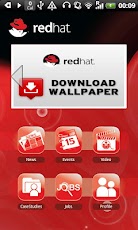
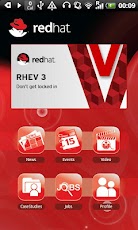
Red Hat Asia Pacific Pte Limited - mobile application. News, events, video, blogs, case studies delivered to your handset.

Featuring server-side configuration and content managed in a simple Drupal web site, hosted on a free Red Hat Openshift Express server.

Developed by Gary Marshall for Red Hat Asia Pacific.

If you use an Android phone, you can download it and give it a try.


What's in this version:
  1. Added Red Hat wallpaper download
  2. Added a Jobs section
  3. Expanded sharing via social media to include sharing via
  4. Facebook
  5. Twitter
  6. Email
  7. Improved profile screens to facilitate expanded social media integration.
  8. Many other improvements - too many to mention!
You can download the Redhat application from Google Play Android Store.


0 comments

» read more....

Boot to Gecko (B2G) : An Open Web of infinite possibilities for Mobile Devices

2:52 AM

Mozilla Foundation today officially announced the launch of its new Mobile OS platform called Boot to Gecko (B2G). For all those who want to know how B2G is different from other Mobile Operating Systems such as Android or iOS, B2G is the Chrome OS of the mobile world and is ofcourse open source. Mozilla called its new in-house wonder  "Web as the Platform for the mobile devices". B2G will be able to run any web application just like Chrome OS, so if you are a web developer and already developing web apps you don't need to do anything new, your app will be ready to run on B2G as soon as B2G is in the market.

Web Developers just need to write a small web app manifest for the app to be installed on your homescreen, just like you do it for Google Chrome Browser and Chrome OS for your web app to be download-able from Google Chrome web store. 

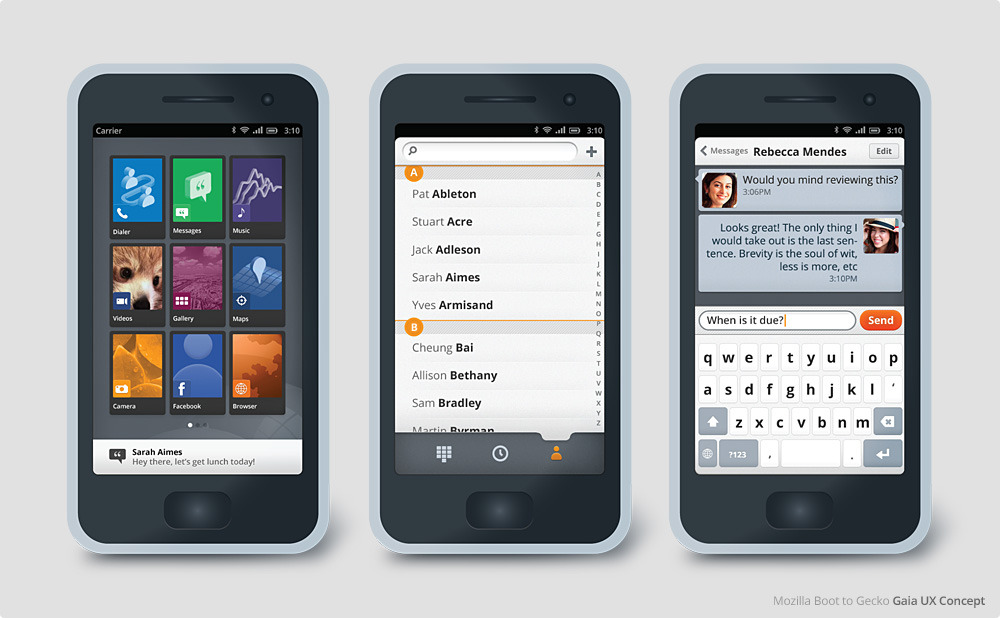
Another distinctive feature apart from Web as a Platform is the UX called Gaia. It is so open that a user can have a look at the underlying HTML source code of a web app at the press of a hardware button and hack it for personal customization.

What makes Gaia extra interesting is that it is all developed in HTML5, CSS and JavaScript. Gaia code is available on GitHub and one can just check it right now to test or contribute.

Gaia is designed to demonstrate the functionality, reliability and creative potential of the open web as a mobile platform.

The following is a quick visual tour of Gaia, and what it means


Here is a Video demonstration of B2G prototype.


Mozilla also clarified that it has avoided using any major Android components to duck any future patent trolls or licensing issues. Mozilla also managed to strike an alliance with Telefonica and Qualcomm to deliver very low cost phones to users worldwide.

Looks like Android and iOS gonna face tough competition coming days :)

0 comments

» read more....

Opera Mobile for Ubuntu

2:51 AM

Opera Mobile 11.5 is the latest version of Opera Software’s browser for mobiles and tablets. Its a touch friendly mobile browser for Tablets or Tablet PC computers, the Linux version  for the browser is originally released for Meego based Tablets and Tablet PCs.

Opera Mobile is Flash capable; comes with Opera Link – a bookmark/speed dial/notes synchronisation service -  and Opera Turbo – a web page compression service using Opera servers that reduces  bandwidth consumption by up to 80%. (So its a must have if you have slower Internet connections while roaming).

Apart from being touch friendly Opera Mobile 11.5 works smoothly with Mouse and keyboard unlike the version 11 of the Browser, you just need to change the user agent from Tablet to Desktop and disable the on screen keyboard in settings for better performance with mouse and keyboard.


Installing Opera Mobile 11.5 on your Ubuntu desktop.

Since the Linux version of Opera  Mobile is available in RPM package, you first need to download the alien and fakeroot utilities from apt repositories, to convert the rpm file into a deb installer.

  • $ sudo apt-get install alien
  • $ sudo apt-get install fakeroot
Once you are done with the above steps, you are ready to install Opera Mobile 11.5 on your Ubuntu desktop.

You can download the rpm package for Opera Mobile from here.
Change to the download directory, issue the following command to convert the rpm package into a deb installer.
  •  $ fakeroot alien Opera_Mobile-Labs-MeeGo-11.50-39.i386.rpm
After a while, you will get the converted deb installer for installation.
  • $ sudo dpkg -i opera-mobile-labs-meego_11.50-40_i386.deb
After a successful install you can find the Opera Mobile browser in the Internet section of your menu Items. 

Opera Mobile might not be a very great browser for day to day browsing on your laptop but it can serve you as a very handy tool while moving or traveling (with Opera Turbo enabled) with slower Internet connections.

Happy Browsing :)


0 comments

» read more....